
FBT Logbook Users Page
This FBT Logbook user administration page is used to manage your users permissions in FBT Logbook portal system.
User List Fields
| Username | The logbook users email address. |
| First Name | The logbook users first name. Automatically populated. |
| Last Name | The logbook users last name. Automatically populated. |
| Assigned Vehicles | The number of vehicles that the logbook user has assigned themselves. |
| Last Log Entry | The latest log entry that the logbook user assigned a trip purpose to. |
| Access Level | The users access level within the FBT Logbook portal. |
Edit Logbook User Details
|
This panel is used to modify a logbook users email address or change their access level. Available FieldsThese fields are populated via therefore they cannot be edited in the FBT Logbook portal.
Access Level Descriptions
Deleting a logbook user will not delete any of their log entries. |
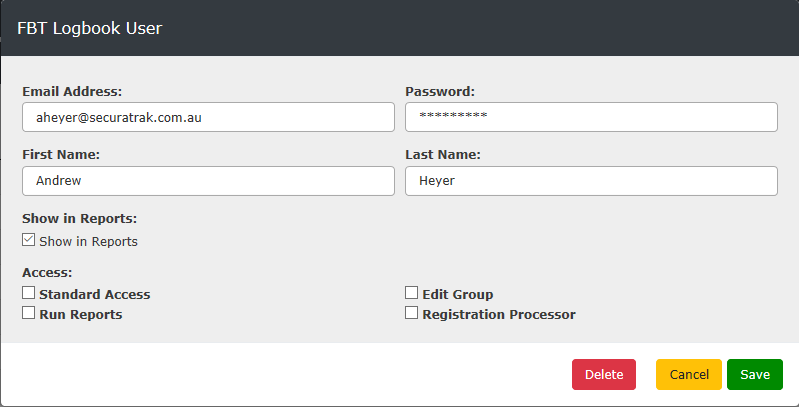
The Logbook Users Details Screen
|